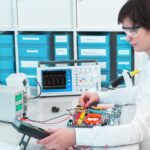
Summary: One of the most expensive mistakes in edge AI is optimising the AI before optimising the camera. No model can recover image information that the camera never captured, so the imaging pipeline comes first.
Where the effort usually goes
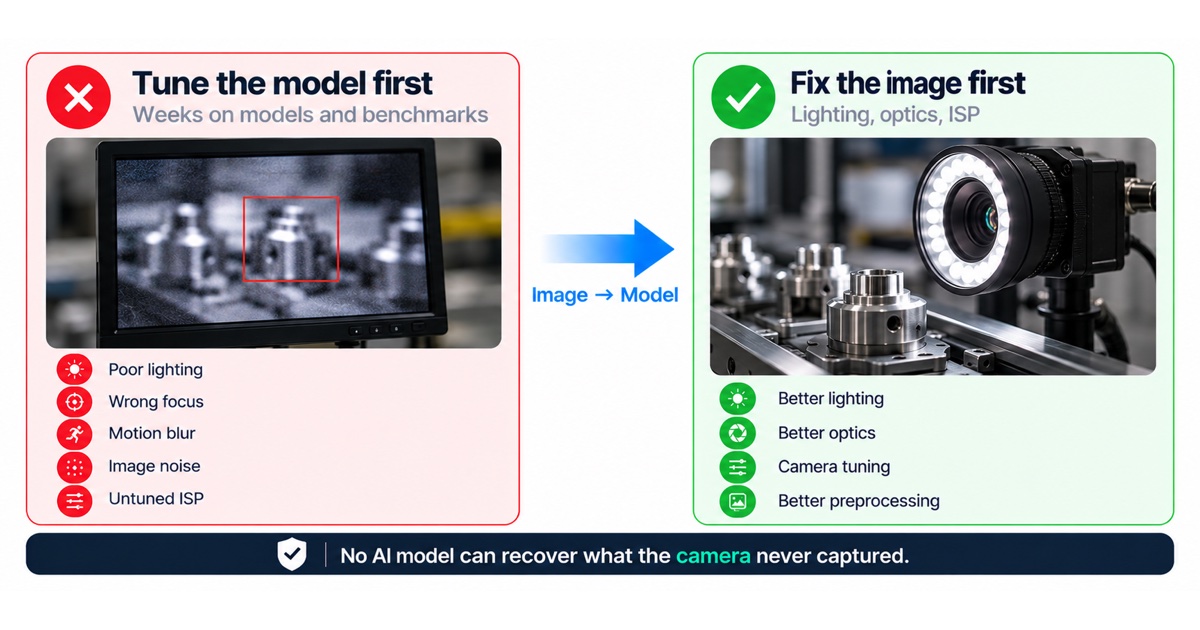
Engineering teams spend weeks discussing AI models, quantisation, frameworks and benchmarks. Meanwhile, some of the biggest gains in accuracy may come from the imaging pipeline.
What the model can’t fix
If the camera image suffers from any of these, every AI model has less useful information to work with:
- Poor lighting.
- Wrong focus.
- Motion blur.
- Image noise.
- Incorrect exposure.
- An untuned ISP.
No AI model can recover image information that the camera never captured.

The imaging pipeline, step by step
Every image a model sees is the result of a chain of decisions. Each link can add information or destroy it:
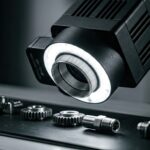
- Lighting decides contrast, shadows and glare. Controlled lighting often matters more than any other single factor in industrial vision.
- Optics decide field of view, focus range, distortion and how much light reaches the sensor.
- The sensor decides resolution, pixel size, dynamic range and how it behaves in low light. A global shutter avoids the distortion a rolling shutter shows on moving objects.
- Exposure and gain trade motion blur against noise. Short exposures freeze motion but need more light or more gain.
- The ISP turns raw sensor data into an image: demosaicing, white balance, noise reduction, sharpening and tone mapping. Settings made for human viewing are not always best for a model.
- Preprocessing resizes, crops and normalises the image for the model. It must match what the model saw during training.
Symptoms and where to look
| Symptom | Likely cause | Where to fix it |
|---|---|---|
| Accuracy drops at certain times of day | Changing ambient light | Controlled lighting, exposure settings |
| Small details are missed | Resolution, focus or optics | Lens, working distance, sensor choice |
| Moving objects are misclassified | Motion blur or rolling shutter | Shorter exposure, global shutter, more light |
| Grainy images in low light | High gain and noise | More light, larger pixels, ISP noise settings |
| Good results in the lab, poor in the field | Training images differ from field images | Collect data with the production camera and settings |
Start with the pixels
In many embedded vision projects, significant accuracy improvements come from:
- Better lighting.
- Better optics.
- Camera tuning.
- Better image preprocessing.
Only then is it worth asking how to improve the AI model. Great AI starts with great pixels.
Checklist before tuning the model
- Look at the raw images the model receives on the device, not only the training set.
- Fix lighting and exposure for the real environment.
- Check focus and depth of field across the working distance.
- Tune the ISP for the task, not only for how the image looks to people.
- Make sure preprocessing on the device matches preprocessing in training.
- Collect training and validation data with the production camera and settings.
What to test
- Accuracy across the full range of real lighting, including the worst case.
- Results on moving objects at the real speed.
- Stability over long runs and changing temperature.
- The effect of each imaging change on accuracy, measured one change at a time.
Why camera work pays off early
Imaging problems are cheapest to fix before the hardware is frozen. Lighting, lens choice, working distance and sensor selection are mechanical and electrical decisions. Once the enclosure and board are built, changing them means new parts, new tooling and new tests. Model changes, by contrast, can continue after launch through software updates. That is a strong reason to get the camera right first and keep improving the model later.
A good imaging setup also makes the model’s job smaller. When images are consistent, a smaller and faster model often reaches the target accuracy, which helps power, cost and latency on the device.
Collecting the right training data
- Use the production camera, lens and ISP settings for the data the model learns from.
- Capture the real range of conditions: lighting, distance, angle, motion and dirt on the lens.
- Keep the image pipeline fixed while collecting data, and record any change.
- Hold back a validation set from the field, not only from the lab.
When the camera or its settings change later, check accuracy again on new images before shipping the update.
FAQ
Can a bigger model compensate for poor images?
Only to a point. If the information is not in the image, no model can recover it, and a bigger model also costs compute and power.
Should the ISP make the image look good?
It should make the image useful for the task. Strong sharpening or noise reduction can look good to people and still remove details a model needs.
When is model work the right next step?
When the images are consistent, well exposed and match the training data, and accuracy is still below target.
Do we need a better camera or just better settings?
Start with settings and lighting, because they are cheaper to change. If images are still too noisy, blurred or low in detail after that, the sensor or lens is the limit, and a hardware change is justified.
How do we know an imaging change helped?
Change one thing at a time and measure accuracy on the same validation set from the field. Improvements that look good to people do not always help the model, and the reverse is also true.
What does a good test setup look like?
Reproduce the real scene as closely as possible: the same lighting, distances, motion and objects, and the camera mounted as it will be in the product. Record a reference set of images and results from this setup, then rerun it after every change to the camera, ISP settings, preprocessing or model. A fixed reference makes it clear which change moved accuracy up or down.
Include difficult cases on purpose: glare, shadows, dirty or scratched objects and the edges of the field of view. These are the conditions that cause field complaints, and they are easy to miss when only clean examples are tested.
How we help
We integrate cameras, ISP and image pipelines on embedded hardware before tuning the model, and our Industrial Vision Box gives vision products a working camera and inference foundation. See our edge AI and computer vision service and the Industrial Vision Box accelerator. If your accuracy is stuck, talk to an engineer.